









The Smart Choice for Personal 3D Printing: A Guide to Affordable Scanning
As 3D printing continues to evolve, one question comes up more often in maker forums and hobbyist groups: “How do I get the perfect 3D model of a real-world object?”
Whether you’re trying to replicate a custom action figure, scan a friend for a personalized statuette, or capture intricate details of a cosplay prop, a 3D scanner bridges the gap between the physical world and your 3D printer.
But with prices ranging from a few hundred to several thousand dollars, how do you choose the right one—without breaking the bank?
Why You Need a 3D Scanner for 3D Printing
What a 3D scanner brings to 3D printing is the most accurate representation of real-world objects. Instead of building complex shapes from scratch in CAD, you capture the exact geometry of an existing object.
For personal 3D printing, a scanner opens up possibilities like:
- Replicating broken parts with exact geometry.
- Creating custom cosplay armor that fits your body.
- Making personalized gifts from real-life objects.
- Scanning sculptures or miniatures for digital preservation.
The $2000 Problem: Do You Really Need to Spend That Much?
When you look at the market, many “professional” 3D scanners start at $2,000 or more. If you go too cheap (under $500), you often get low-resolution scans. If you go too expensive, you pay for industrial features you may never use.
The sweet spot lies in a scanner that delivers professional-grade quality at a price that respects your hobby budget.
What to Look for in a 3D Scanner for Personal Use
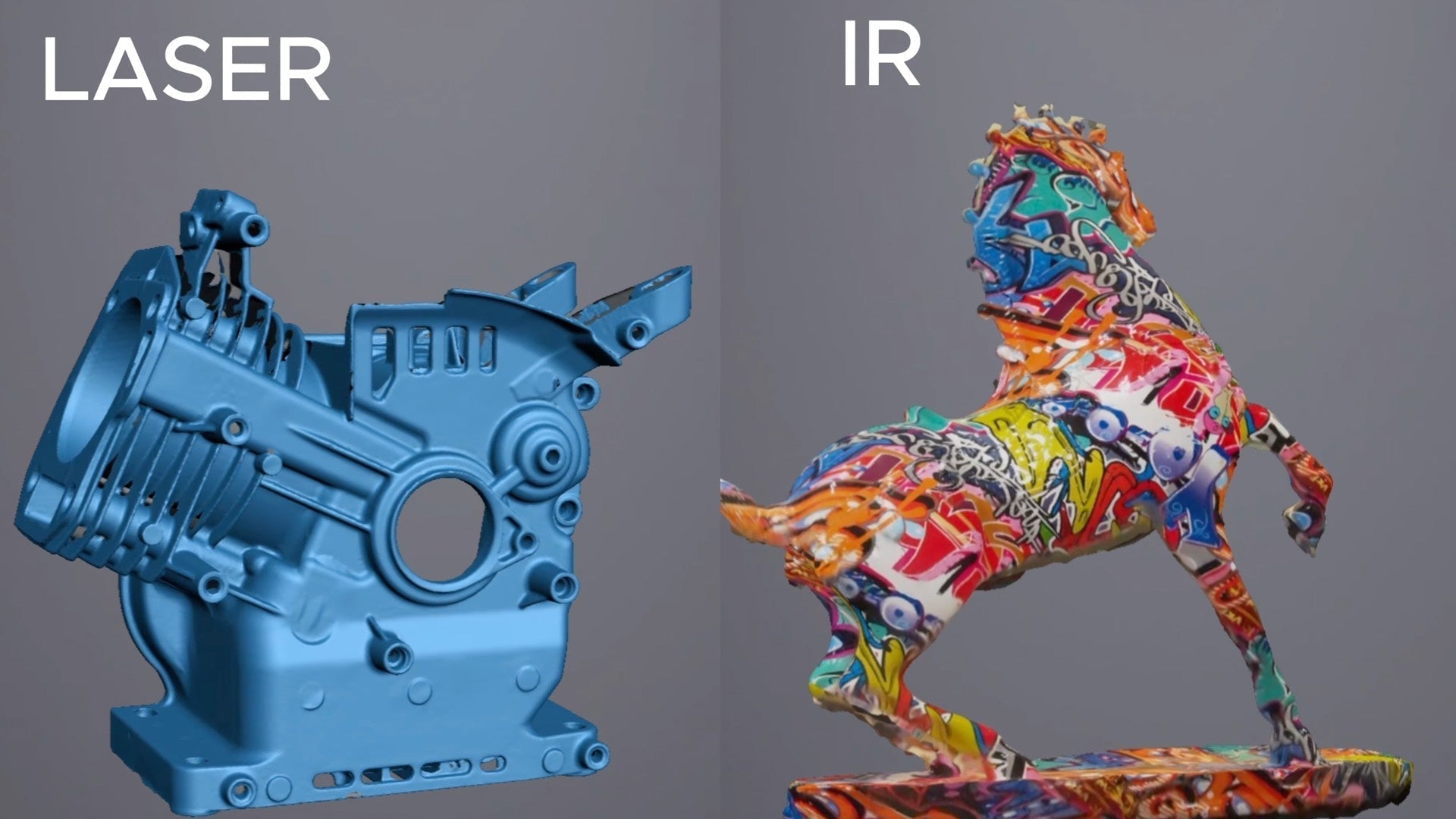
- Scanning Modes: Dual-mode scanners (infrared + laser) like those in our handheld 3D scanner collection give you the best of both worlds.
- Speed: A scanner that captures millions of points per second kills frustration.
- Fine Detail: Critical for capturing embossed text or intricate textures.
- Ease of Use: Look for plug-and-play devices with intuitive software.
The Best Value Pick: Why EINSTAR 2 Stands Out
After testing dozens of scanners, one device consistently delivers exceptional value: EINSTAR 2.

🔹 Dual-Mode Versatility: IR + Laser in One Device
Most scanners under $1,000 force a choice. EINSTAR 2 gives you both: Infrared Mode for faces and people, and Laser Mode for crisp, high-precision geometry on mechanical parts.
🔹 Speed That Keeps Up With Your Workflow
With the latest update, the infrared scanning speed reaches 4.8 million points per second. This translates to smoother handheld scanning and fewer “lost tracking” moments.
🔹 Quality Without the Price Tag
The mesh output is clean, and the level of detail is more than sufficient for FDM and resin printing. You don’t have to compromise just because you’re a hobbyist.
How It Compares to More Expensive Alternatives
| Feature | EINSTAR 2 | Typical $2000+ Scanner |
|---|---|---|
| Price | Under $1,000 | $2,000–$5,000 |
| Modes | IR + Laser | IR + Laser |
| IR Speed | 4.8M points/sec | 2–3M points/sec |
| Laser Speed | 90 fps | 60–100 fps |
Final Verdict: The Smart Choice for Personal 3D Printing
The EINSTAR 2 combines dual-mode flexibility, industry-leading speed, and an accessible price point. It’s the tool that finally makes 3D scanning a practical, everyday part of your maker toolkit.
Learn more about the EINSTAR 2 here: EINSTAR 2 Official Page
Share:
Affordable 3D Scanner Guide: Best Budget and Cheap Models
How Do Professional 3D Scanners Differ From Consumer Models?