









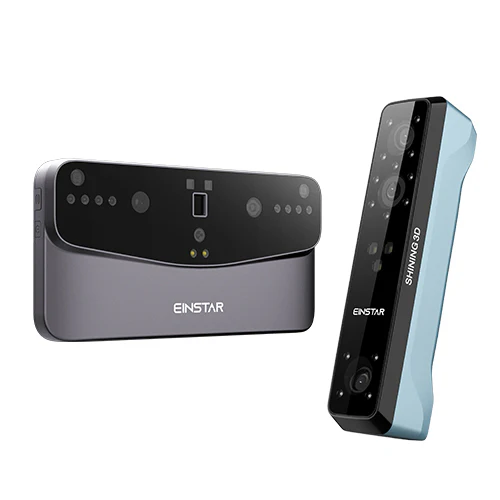
EINSTAR's 3D print scanner is made to make it simple and efficient for small studios and home users to experiment with 3D technology. Knowing how to operate your EINSTAR 3D scanner might be crucial, whether you're interested in designing new projects or making digital copies of treasured items. Here are a few easy procedures and pointers for doing home projects with your 3D scanner.

Getting Started with Your 3D Print Scanner
Before diving into your scanning projects, it’s essential to familiarize yourself with your EINSTAR 3D scanner. Begin by reviewing the user manual to understand the features and functions of the device. Once you have a good grasp of its operation, set up your 3D scanner in a well-lit area, free from distractions. It’s helpful to keep the scanning surface clean and clutter-free, ensuring optimal conditions for high-quality scanning. With a few preparations in place, you’ll be ready to start capturing the world around you.
Choosing the Right Objects to Scan
When using your EINSTAR 3D scanner for home projects, selecting the right objects to scan can greatly impact your experience. Focus on items that are relatively simple in shape and not too reflective. Common household items like toys, books, or simple decorative pieces work well for beginners. By starting with these types of objects, users can practice their scanning techniques and gain confidence before moving on to more complex subjects. Additionally, note that the EINSTAR 3D scanner is ideal for medium-sized objects, making it a versatile tool for various home projects.
Transforming Scans into Creative Projects
Once the scanning process is complete, the next step involves transforming your digital scans into creative projects. With the high-resolution scans captured by your EINSTAR 3D print scanner, you can take advantage of various software options for editing and enhancing your models. This could include refining details, adjusting colors, or preparing files for 3D printing. Engaging in post-processing allows for greater flexibility and creativity, enabling users to bring their imaginative ideas to life. Whether it’s creating custom gifts or unique home decor, the possibilities are limited only by your imagination.
Conclusion
There are a ton of creative and exploratory possibilities when using an EINSTAR 3D scanner for home projects. Users may take advantage of their 3D print scanner's full potential by setting it up, selecting appropriate objects to scan, and using post-processing software. At EINSTAR, we invite everyone to explore the fascinating world of 3D scanning and find their own artistic expression. We are excited to accompany you on your trip into the world of 3D technology, where new creations await with each scan.
Share:
Discover the EINSTAR VEGA: An Innovator in 3D Scanning and Printing
Discover the EINSTAR VEGA: An Innovator in 3D Scanning and Printing