









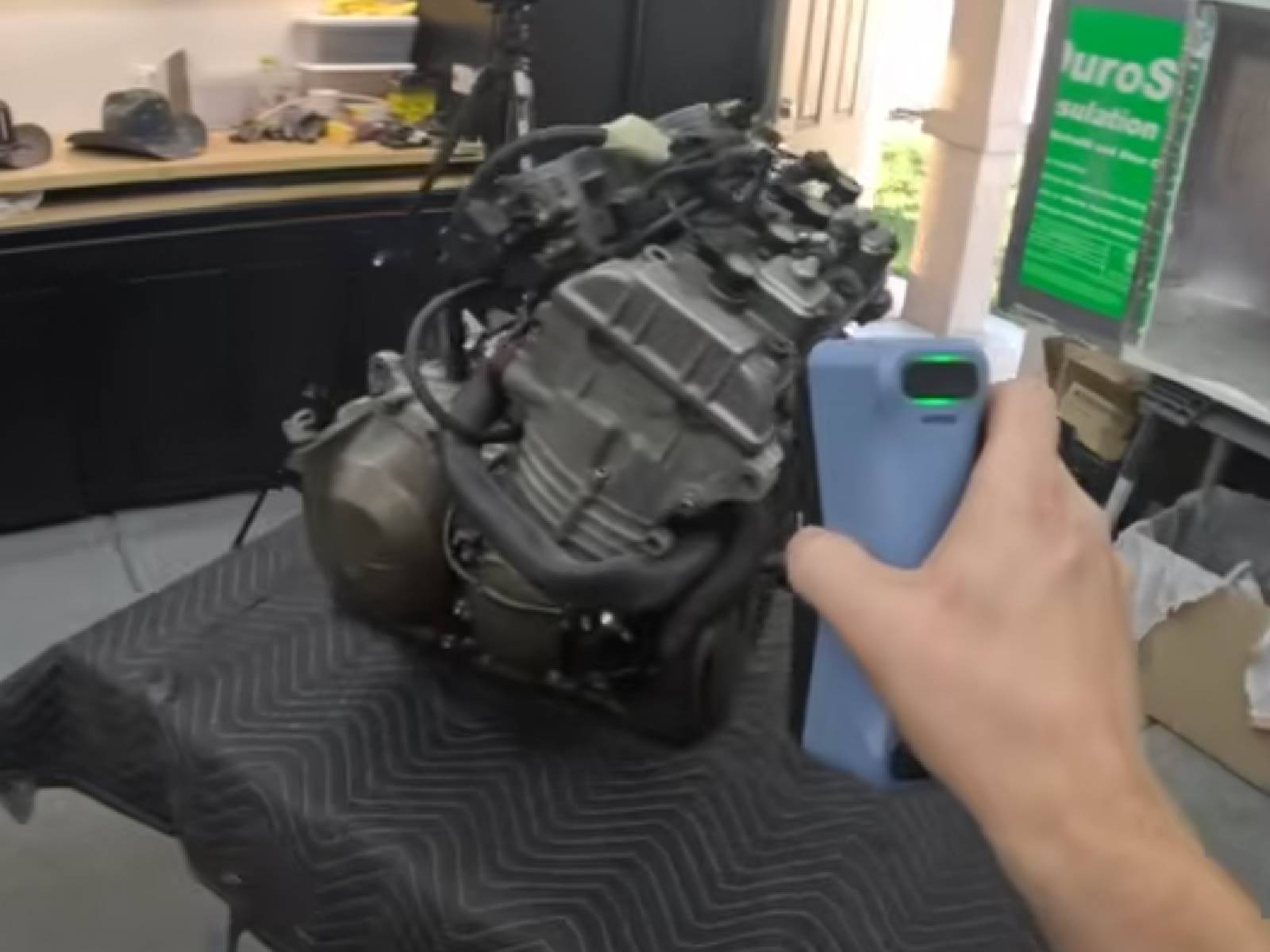
Handheld 3D scanners have become an essential tool for creators, designers, engineers, and makers who want to bring real-world objects into digital workflows. Their portability and flexibility make them especially useful for scanning objects that are difficult to move or access.
Before choosing a device, it’s important to understand how handheld scanning works and what factors actually impact everyday performance.
How Handheld 3D Scanners Work
Handheld 3D scanners capture physical objects by projecting light onto surfaces and continuously recording how that light changes as the scanner moves.
As the device is moved around an object, it collects spatial information from multiple angles and builds a digital model in real time. This process relies on continuous tracking and data stitching to maintain a complete representation of the object.
In practice, the user moves around the object, and the scanner builds the model step by step as it captures new surfaces.

Why Handheld Scanners Are Popular
Compared to fixed scanning systems, handheld devices offer a different level of flexibility:
- You can scan objects almost anywhere
- Large or complex items don’t need to be repositioned
- Scanning can be done from multiple angles freely
- Setup time is usually minimal
This makes handheld scanners especially useful for real-world, on-site applications.
What to Consider Before Buying a Handheld 3D Scanner
Choosing the right scanner is not just about technical specifications. Real-world usability is what determines whether your workflow will be smooth or frustrating.
1. Tracking Experience
One of the most important aspects of handheld scanning is how well the device maintains alignment during movement.
A good system should:
- Maintain stable positioning while moving
- Recover smoothly if tracking is briefly lost
- Handle complex surfaces without interruption
Poor tracking often leads to repeated scans and wasted time.
2. Workflow Simplicity
Ease of use plays a major role, especially for beginners.
Look for:
- Clear on-screen guidance
- Simple start-to-finish scanning flow
- Minimal setup steps
- Easy file export options
A simple workflow reduces learning time and improves productivity.
3. Scanning Speed in Practice
Speed affects how efficiently you can complete a project.
Faster scanning allows:
- Quicker coverage of large objects
- More flexible movement during scanning
- Reduced time per project
However, speed should not come at the cost of stability.
4. Compatibility with Real Objects
Real-world scanning rarely happens under perfect conditions.
A capable handheld scanner should handle:
- Dark surfaces
- Light reflections
- Mixed textures
- Complex shapes and geometry
This ensures more reliable results across different use cases.
5. Software and Post-Processing Workflow
The scanning process doesn’t end when data capture is complete.
Good software should support:
- Automatic alignment of multiple scans
- Cleanup tools for removing unwanted artifacts
- Smooth export to standard 3D formats
- Easy transition into design or printing workflows
A strong software system can significantly improve overall efficiency.
6. Portability and Practical Use
Since handheld scanners are often used in real environments, portability matters.
Consider:
- Weight and comfort during long sessions
- Cable-free or simplified setup options
- Ease of transport between locations
A practical design improves usability in real-world workflows.
Common Mistakes Buyers Make
Many first-time users focus too much on specifications and overlook real workflow needs.
Common mistakes include:
- Ignoring software usability
- Choosing based only on advertised numbers
- Underestimating the importance of tracking stability
- Not considering learning curve and workflow time
A better approach is to focus on overall usability and consistency.
Recommended Choice for Most Users
For users looking for a balance of usability, flexibility, and reliable everyday performance, the EINSTAR 2 3D Scanner is a strong option worth considering.
It is well suited for:
- 3D printing projects
- Design and prototyping workflows
- Educational and creative use
- Users who want a practical entry into 3D scanning
Related Products
Conclusion
Handheld 3D scanners work by capturing and stitching real-world geometry as you move around an object. But choosing the right device depends less on technical specifications and more on how smoothly it fits into your workflow.
By focusing on tracking experience, usability, and software efficiency, users can avoid common frustrations and achieve better scanning results.
For those looking to get started or upgrade their setup, the EINSTAR 2 offers a practical and accessible solution for real-world 3D scanning applications.
About EINSTAR
EINSTAR is powered by SHINING 3D, a company with more than 20 years of experience in industrial-grade 3D scanning technology. Built on the strong industrial DNA of SHINING 3D, EINSTAR inherits decades of expertise in high-precision 3D measurement and professional scanning solutions.
This foundation enables EINSTAR to bring advanced scanning technology into more accessible and user-friendly products for creators, engineers, and makers around the world.
Share:
Best 3D Scanners for 3D Printing, Reverse Engineering, and DIY Projects
EINSTAR VEGA Practical 3D Scanning Tips for High-Quality Full-Body Scans