







What Is a Blue Laser 3D Scanner and How Does It Work?
A blue laser 3D scanner captures an object's surface geometry and converts it into digital 3D data. This technology helps recreate existing parts, develop CAD models, and digitize objects with complex shapes. Understanding how blue laser scanning works and how it differs from structured-light scanning helps you choose an approach suited to your modeling project.
What Is a Blue Laser 3D Scanner?
A blue laser 3D scanner is an optical device that uses blue laser light to capture the three-dimensional shape of a physical object. Instead of recording only its color or appearance, the scanner collects spatial data that represents the object's surface geometry.
Blue laser scanners commonly project laser lines onto an object and use cameras to capture the lines from different viewing angles. The resulting data can be processed into a digital model for applications such as reverse engineering, product design, and 3D visualization.
The final result depends on the scanner's optical system, the object's surface characteristics, and how well the scanning process captures the areas needed for the model.
How Does Blue Laser 3D Scanning Work?
Laser Projection and Surface Reflection
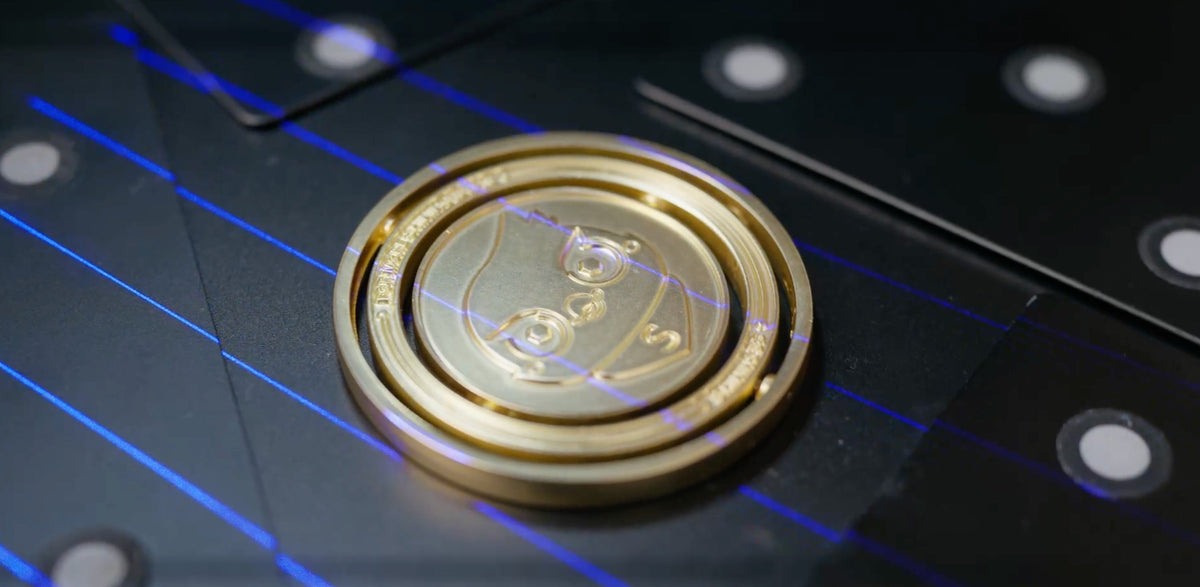
A blue laser 3D scanner projects laser lines onto an object's surface. As the lines cross curves, edges, and changes in surface height, their apparent positions change according to the object's geometry.
Cameras inside the scanner capture these lines from a different angle. As the scanner moves around the object, it records successive sections of the surface. Overlapping views help build a more complete representation of the object's shape.
Surface characteristics affect how the projected lines appear. Dark, glossy, or highly reflective materials may present challenges depending on the scanner's design and scanning conditions.
3D Data Capture and Triangulation
Optical triangulation is a common principle used in laser 3D scanning. The scanner calculates the position of surface points using the known relationship between its laser projector and cameras.
When a projected laser line appears at a different position in the camera image, that change provides information about the surface's spatial position. The scanner processes these observations using its calibrated optical geometry to generate 3D coordinates.
By repeating this process across multiple surface areas, the scanner builds a collection of points representing the object's shape. Moving around the object allows additional surfaces and features to be captured from different angles.
Point Cloud Processing and 3D Model Creation
The captured coordinates form a point cloud, a collection of points representing the object's surface in three-dimensional space. Scanning software aligns data from different viewpoints and combines the captured sections into a unified dataset.
The point cloud can then be converted into a polygon mesh, which connects points to form a surface. The resulting mesh can be used for visualization, 3D printing, or further modeling.
For reverse engineering, the mesh may serve as a reference for creating an editable CAD model. This step can involve reconstructing surfaces, defining geometric features, and rebuilding the object in engineering software. A polygon mesh and a parametric CAD model are different outputs, so the appropriate workflow depends on how the digital model will be used.
Blue Laser vs. Blue Light 3D Scanning
Blue laser scanning and blue-light structured-light scanning both use projected light to capture 3D geometry, but they differ in their typical projection methods.
A blue laser scanner commonly projects laser lines and tracks their positions through cameras. A structured-light scanner projects a defined pattern, such as stripes or grids, and analyzes how that pattern changes across the object's surface. Structured-light systems can also use blue light, so the distinction is based on the scanning method rather than color alone.
| Feature | Blue Laser Scanning | Blue-Light Structured Scanning |
|---|---|---|
| Light projection | Laser lines, including parallel or crossed patterns | Structured patterns, such as stripes or grids |
| Data capture | Tracks the positions of projected laser lines | Analyzes deformation of the projected pattern |
| Typical workflow | Captures surface sections as the scanner moves around an object | Captures surface information from projected patterns |
| Practical considerations | Line visibility, surface reflectivity, and access to the object | Pattern visibility, surface reflectivity, and access to the object |
The most suitable approach depends on the scanner's design, the object's geometry, and the intended output. Comparing the actual scanning modes and software workflows is more useful than assuming one technology is always better than the other.
Where Blue Laser 3D Scanning Is Used
Reverse Engineering and CAD Reconstruction
Reverse engineering starts with an existing physical object and uses its geometry as the basis for a digital reconstruction. A blue laser 3D scanner can capture the contours, openings, edges, and other visible features of a mechanical component.
The resulting point cloud or mesh provides a digital reference for recreating discontinued parts, modifying existing designs, or developing replacement components. Designers can use the captured geometry as a starting point for rebuilding surfaces and creating an editable CAD model.
The amount of additional modeling depends on the object's complexity and the level of detail required in the final design. Recessed areas and hidden surfaces may require additional scanning angles before the reconstruction is complete.
3D Modeling of Complex Objects
Objects with curved surfaces, intricate contours, and irregular shapes can be difficult to recreate manually. Blue laser scanning captures these features as digital surface data, giving designers a reference for creating models of physical objects.
This approach can support product redesign, custom part development, and 3D visualization. For example, a designer can digitize a component with complex contours and use the resulting mesh to guide changes to its shape.
Complete surface capture may require scanning from several directions. Deep cavities, narrow openings, and other areas that are difficult to access may need a different scanning angle or an alternative capture method.
Choosing a 3D Scanning Approach for Your Project
The right scanning approach depends on the object's shape, surface, size, and intended digital output.
- Object geometry: Consider whether the object has deep recesses, narrow openings, intricate contours, or large curved surfaces that require different scanning angles.
- Surface characteristics: Dark or reflective materials can affect how a scanner captures surface information. Check the manufacturer's guidance for the materials involved in your project.
- Object size and coverage: Choose a scanning setup that can reach the required areas without making the capture process unnecessarily complicated.
- Digital output: Decide whether you need a point cloud, polygon mesh, or editable CAD model. Each output may require different software and post-processing steps.
- Scanning environment: Consider whether the project takes place at a fixed workstation or requires a portable setup for capturing objects in different locations.
These factors help determine whether a blue laser 3D scanner suits the project and what additional processing may be needed to turn the captured data into a usable model.
How EinScan Rigil Supports 3D Scanning Workflows
The EinScan Rigil combines two blue laser scanning configurations with an infrared scanning mode, giving users different options for capturing physical objects.
Its Laser HD mode includes 25+25 crossed blue laser lines for faster surface capture and 7 parallel blue laser lines for detailed scanning. The two blue laser patterns can be switched during a scanning session, and data captured using both configurations can be combined in one project. This allows users to balance broader surface coverage with the capture of smaller geometric features.

EinScan Rigil also includes an infrared VCSEL mode for workflows that benefit from a different light source and broader scanning coverage. Its standalone, wireless PC, and wired PC operating modes provide flexibility when working at a workstation or capturing objects on location.
For reverse engineering and complex 3D modeling, EinScan Rigil offers multiple ways to capture surface geometry and transfer the resulting data into a digital workflow. The appropriate scanning mode depends on the object's material, surface characteristics, and the type of model being created.
Conclusion
A blue laser 3D scanner converts physical surface geometry into digital data that can support reverse engineering and complex 3D modeling. Understanding its projection method, data-processing workflow, and practical limitations helps you select the right approach for a project. With crossed and parallel blue laser patterns alongside infrared scanning, EinScan Rigil provides multiple options for digitizing objects with different geometric characteristics.
FAQ
Can a blue laser 3D scanner scan black objects?
Blue laser scanning can capture some dark surfaces, but results depend on the material's reflectivity, surface finish, and the scanner's capabilities. Check the manufacturer's guidance and test the actual object when possible.
Does a blue laser 3D scanner require markers?
Marker requirements depend on the scanner and its tracking method. Some scanners can capture geometry without markers in supported modes, while others may require markers to help align scans. Check the manufacturer's instructions for the specific device and scanning mode.
What file formats can a blue laser 3D scanner export?
Supported formats vary by scanner and software. Common 3D data formats include STL, OBJ, and PLY for mesh or point-cloud workflows, while CAD formats such as STEP may require additional reconstruction software. Check the device's official documentation for its supported export formats.
Share:
EXStar Hub 2.0 Update: AI Isolation, 3DGS & Faster Scanning
What Is a Structured Light 3D Scanner and How Does It Work?