









3D Scanning for Digital Twins: From Physical Object to Digital Model
A 3D digital twin often begins with capturing a physical asset as it exists today, especially when CAD files are unavailable, outdated, or no longer reflect real-world conditions. A 3D digital twin starts with an accurate representation of a real object, but the 3D model is only one part of the system. 3D scanning can capture the object's current geometry, surface details, and, depending on the scanner, color information. That data can then become the visual and geometric foundation for documentation, analysis, simulation, or asset management.
A static scan, however, is not automatically a complete digital twin. The model becomes more useful as it is connected to information about the real asset and updated when that asset changes.

A 3D Digital Twin Is More Than a 3D Model
A 3D model describes geometry. A digital twin represents a specific physical asset and, in many industrial applications, also carries information about its condition, configuration, operation, or changes over time.
That distinction matters.
If you scan a pump housing and create an accurate mesh, you have a digital representation of the housing at the time of capture. If that model is later associated with the actual pump, maintenance records, inspection data, operating status, or other asset information, it can become part of a broader digital twin workflow.
The scan answers:
What does the asset physically look like now?
Other systems provide the information needed to answer:
What asset is this, what state is it in, and how is that state changing?
What 3D Scanning Contributes to a Digital Twin
3D scanning is useful when the digital representation needs to reflect the physical asset as it actually exists rather than only its original design.
The scanner measures visible surfaces and converts them into spatial data. After processing, this can become a point cloud or polygon mesh representing the object's current shape.
That is valuable for assets with no CAD data, older equipment that has been modified, manufactured objects that differ slightly from nominal design, and physical items whose surface condition needs to be documented.
Scanning can also capture details that would be slow to reproduce manually in modeling software.
But it has a clear boundary: a scanner records geometry and surface information. It does not know the object's operating temperature, service history, load, maintenance state, or sensor readings.
Those belong to other layers of the digital twin.

Capture the Geometry the Twin Actually Needs
There is no single scanning specification that fits every digital twin project.
Start with how the model will be used.
A visual archive may prioritize complete shape and realistic color. A manufacturing asset may require reliable mounting interfaces, dimensions, and component relationships. Inspection or maintenance applications may need enough geometric consistency to compare the asset at different dates.
Scale matters as well. A handheld scanner may be suitable for a component, machine part, sculpture, or other accessible asset. Large facilities, buildings, and long industrial environments typically require a different reality-capture approach, such as long-range laser scanning or LiDAR.
Surface condition also affects capture. Glossy, transparent, dark, or featureless areas can require different scan settings, alignment methods, viewing angles, or surface preparation.
Do not collect maximum detail by default. Capture the geometry required by the twin's function.
Turn Scan Data Into a Usable Digital Model
Raw capture data usually needs processing before it can serve as the geometry layer of a digital twin.
Separate scan passes may need alignment. Background data and isolated points should be removed. The captured surfaces can then be converted into a mesh and checked for missing areas, alignment errors, unwanted noise, or excessive smoothing.
What happens next depends on the application.
For visualization, digital archiving, or some immersive applications, a cleaned mesh may be enough. Engineering applications may require the mesh to be converted or reconstructed into CAD geometry. Building workflows may instead use point-cloud data as reference for BIM or spatial models.
The important distinction is that these representations serve different purposes.
A high-density mesh is not automatically better than a simplified model if the digital twin platform needs lightweight geometry for interactive visualization. Likewise, a visually convincing model may be inadequate when dimensions or engineering features need to be trusted.
Model preparation is part of digital twin design, not just scan cleanup.
Add the Data That Makes the Model a Twin
Once the geometry is ready, it needs context.
A digital twin may associate parts of the 3D model with asset IDs, component names, specifications, maintenance records, inspection results, sensor values, or other operational information.
For a production machine, a user might select a component in the digital model and access information about that specific component. More advanced systems can connect changing sensor data with the virtual representation for monitoring or analysis.
The 3D scan does not create these relationships. It provides the physical reference that those relationships can be attached to.
This is why the workflow should not stop at:
Physical Asset → 3D Scan → Mesh
For a functional digital twin, the broader path is closer to:
Physical Asset → Reality Capture → 3D Model → Asset Data → Digital Twin Application
Keep the Digital Twin Synchronized With the Physical Asset
A digital twin loses value if its representation no longer matches the physical asset.
Not every change requires another scan.
If a sensor value, service status, or operating condition changes while the physical geometry remains the same, the data layer can be updated without recapturing the object.
Geometry is different.
If a component is replaced, a structure is modified, wear becomes relevant, or the physical configuration changes, new reality-capture data may be required. The updated scan can then be compared with or used to replace the previous geometric representation.
This creates an important project decision:
Use connected data to update state. Use new scanning when the physical geometry itself needs to be updated.
Choosing a 3D Scanner for Digital Twin Capture
Choose the reality-capture method according to asset size, required detail, surface condition, color requirements, working distance, and the software that will receive the resulting data.
For object- and asset-level capture, handheld 3D scanners can be useful because the operator can move around machinery, products, sculptures, and other physical assets to collect geometry from multiple angles.
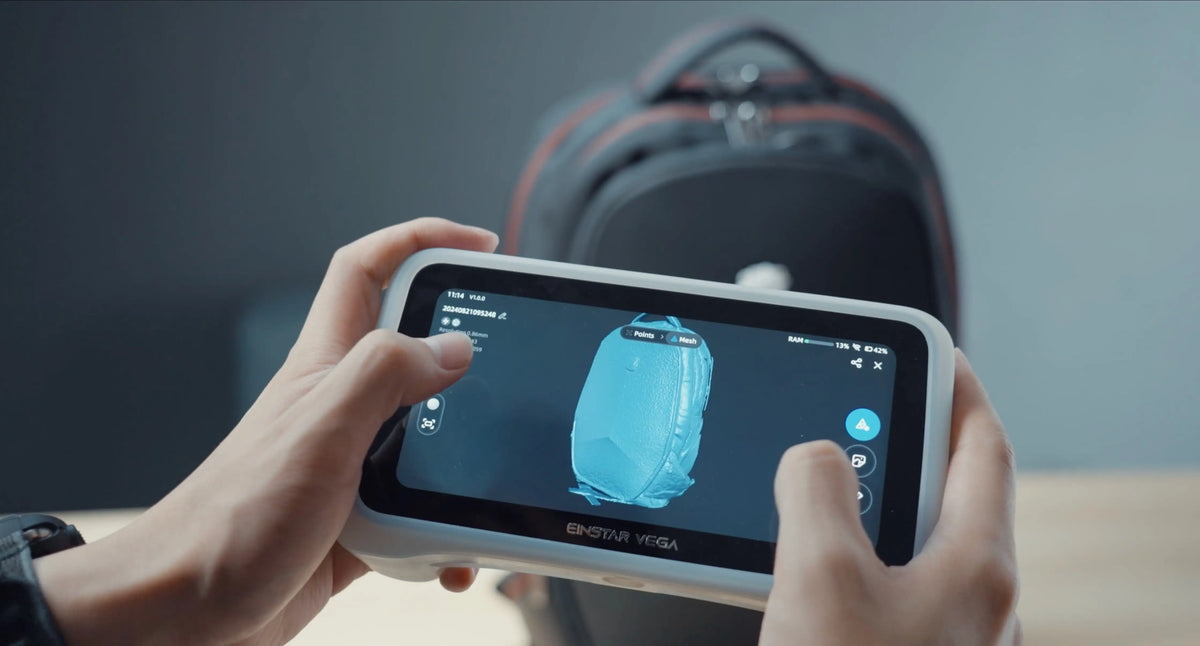
For workflows where portability and color capture are useful, EINSTAR VEGA provides HD and Fast scan modes together with a 48 MP RGB camera. Project specifications list PLY, STL, OBJ, and ASC output formats, allowing captured data to continue into different mesh and point-based workflows.

Those capabilities provide source geometry. They do not make VEGA a digital twin platform by itself.
The scanner's job is to create appropriate reality-capture data. The rest of the digital twin depends on how that geometry is processed, connected to asset information, maintained, and used.
Conclusion
3D scanning can provide the geometric foundation of a 3D digital twin by capturing a physical asset as it actually exists.
The next steps determine whether that scan remains a static digital model or becomes part of a useful twin. Process the geometry for its intended application, associate it with the correct asset information, and define how both operational data and physical changes will be updated. Whether the source geometry comes from EINSTAR VEGA or another reality-capture solution, the long-term value of the digital twin depends on how that information is maintained and connected to the real asset.
The right question is not simply, "Can this object be scanned?"
It is:
What information does the digital twin need to represent, and how will that information stay connected to the real asset?
Capture the real-world geometry behind your next digital twin
FAQ
Is a 3D Scan the Same as a Digital Twin?
No. A 3D scan captures the physical geometry of an asset and can provide the base model. A digital twin generally adds asset identity, contextual or operational data, and a way to maintain the relationship between the virtual representation and the physical asset.
Do You Need CAD to Create a 3D Digital Twin?
Not always. Some workflows can use meshes or point clouds directly, while engineering applications may benefit from CAD or BIM geometry. The appropriate representation depends on how the twin will be visualized, analyzed, measured, or connected to other systems.
How Often Should a Physical Asset Be Rescanned?
Rescan when geometric changes matter to the digital twin—for example after modification, replacement, deformation, or relevant wear. Changes in operating data alone do not necessarily require new geometry.
Can 3D Scanning Be Used for Existing Equipment Without CAD Files?
Yes. This is one of reality capture's useful roles. The existing equipment can be scanned to establish its current geometry even when original CAD data is unavailable, although downstream engineering or digital-twin applications may require additional model preparation.
Share:
How to Make a 3D Scan of a Product: Step-by-Step Guide
3D Room Scanner Guide: Handheld Limits and Best Practices