









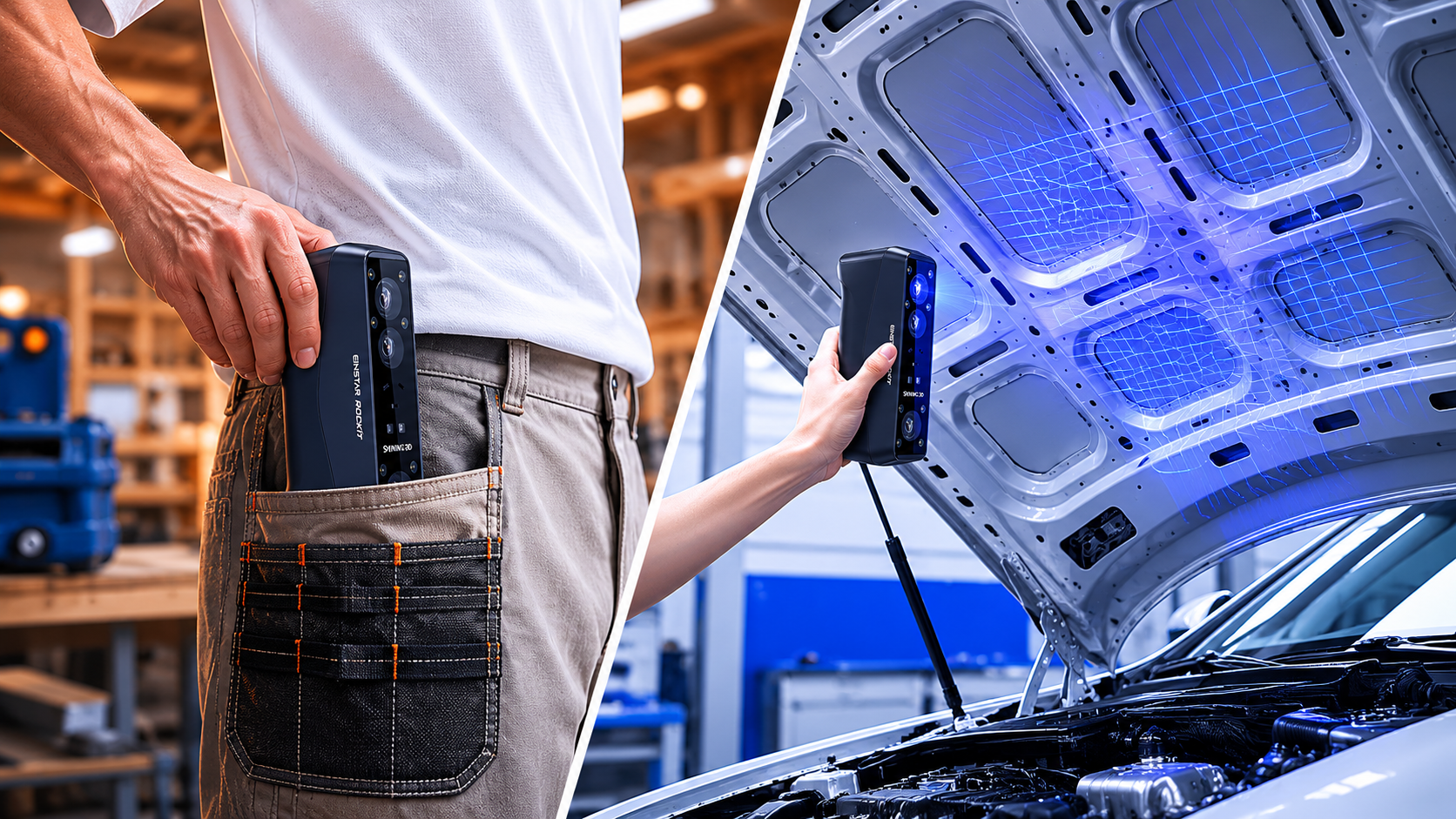
Practical advice from the EINSTAR team for creators, engineers, and professionals choosing a scanner in 2026.
Buying a 3D scanner used to mean choosing between two extremes:
● affordable scanners with limited real-world usability
● or expensive industrial systems designed for specialized teams
Modern handheld scanners — especially newer hybrid systems like the EINSTAR Rockit — have made professional-quality scanning far more accessible to independent creators, engineering teams, small studios, and advanced hobbyists.
But choosing the right scanner still depends heavily on your workflow.
A scanner that performs beautifully for reverse engineering mechanical parts may not be ideal for body scanning. A highly portable device may not deliver the dimensional consistency needed for inspection work. And spec sheets alone rarely tell the full story.
This guide breaks down the practical differences between modern 3D scanning technologies, the specifications that actually matter, and how to choose a scanner that fits the way you really work.
Start With Your Workflow — Not the Specs
One of the most common mistakes buyers make is comparing scanners purely by numbers.
Accuracy, resolution, scan speed, tracking stability — these matter, but only in context.
Before comparing devices, define:
● what you scan most often
● the level of detail or precision you need
● whether portability matters
● how important scan speed is
● how much cleanup work you can tolerate afterward
That's why many newer users prefer hybrid handheld scanners like the EINSTAR Rockit. Hybrid workflows adapt naturally to different object sizes, materials, and scanning conditions, rather than optimizing for a single environment.
Understanding the Main Types of 3D Scanners
Infrared Structured Light Scanners
Structured light scanners project patterned light onto an object and calculate geometry from how the pattern deforms across the surface.
This remains one of the most popular technologies for handheld scanning because it balances portability, detail, scan speed, ease of use particularly well.
Best for: human body scanning, art and sculpture, miniatures, 3D printing, large objects, outdoor scanning.
Limitations: Like most optical systems, structured light scanners can struggle with: reflective materials, transparent objects, dark surfaces.
In difficult environments, scanning spray or laser-assisted workflows may help improve stability and geometry capture.
Laser Scanners
Laser scanners typically use optical triangulation to capture 3D surface geometry.
Compared with structured light systems, laser workflows often perform better for: industrial environments, reflective materials, dark surfaces, small complex components
Many modern handheld systems now combine infrared and laser workflows together, improving flexibility without forcing users into separate devices.
In practical workflows, this becomes especially useful when moving between automotive parts, recessed mechanical geometry, body scans, workshop environments and mixed-surface objects.
Photogrammetry
Photogrammetry reconstructs 3D models from photographs rather than active projection systems.
It remains popular for large outdoor environments, cultural heritage, game asset capture and environmental scanning.
However, photogrammetry typically requires:
● more processing time
● stronger lighting control
● heavier manual cleanup
For workflows where consistent dimensional accuracy matters, dedicated handheld scanners are usually the more reliable solution.
The 3D Scanner Specs That Actually Matter
Many scanner specifications sound impressive in marketing material but become less meaningful in real-world workflows.
Here’s what matters most in practice.
Accuracy vs. Resolution
These two terms are often conflated, but they’re different things.
● Accuracy is how close a scan is to the real-world dimensions of the object. An accuracy of 0.05 mm means measurements are within 0.05 mm of the true value.
● Resolution (or point distance) is how finely the scanner samples the surface. High resolution captures fine detail; it doesn’t guarantee the positions of those points are accurate.
You want both — but depending on your use case, one matters more. For inspection and QA, accuracy is critical. For visual or artistic applications, resolution often matters more.
Tracking Stability
Tracking quality is one of the most underrated parts of handheld scanning.
Poor tracking leads to alignment drift, broken meshes, rescanning, and inconsistent geometry.
This becomes especially noticeable during large object scanning, automotive workflows and full-body capture.
Faster, more stable tracking requires powerful hardware, refined algorithms, and low-latency software, supported by sustained R&D investment.
Software Workflow
The scanner hardware is only half the experience.
Your software determines how efficiently you can:
● align scans
● clean meshes
● reduce noise
● fill holes
● export usable geometry
Modern workflows increasingly prioritize:
● real-time mesh preview
● automatic alignment
● streamlined export
● approachable UI
because faster workflows often matter more than chasing extreme theoretical specifications.
Choosing a Scanner Based on Your Use Case
For Hobbyists and Beginners
You want something that works out of the box. Portability, ease of use, and accessible software matter more than pushing accuracy limits. Budget: under $1,000 for entry-level options; $1,000–$2,000 for a significant step up in quality.
What to prioritize: intuitive software, good community support, versatile scan range.
For Product Designers and Engineers
You need reliable accuracy for reverse engineering, prototyping, and fit-and-function testing. A scanner that exports clean meshes directly into your CAD environment (Fusion 360, SolidWorks, Rhino) saves hours of cleanup work.
What to prioritize: accuracy under 0.1 mm, software integration with your CAD stack.
For Heritage and Cultural Documentation
Large, irregular surfaces. Fine detail on carved stone or painted surfaces. Color capture is often essential. Portability is critical — you’re scanning on-site.
What to prioritize: texture capture, large object handling, durability, rechargeable or long-battery operation.
For Medical and Dental
Dimensional accuracy is non-negotiable. The scanning workflow needs to fit into clinical environments. This is a specialized category where purpose-built dental scanners often outperform general-purpose devices.
What to prioritize: certified accuracy, hygiene-compatible workflow, software integration with dental CAD systems.
For Most Users: EINSTAR Rockit

If you’re in the mid-range handheld 3D scanner market and want a scanner that feels genuinely flexible in real-world workflows, the EINSTAR Rockit is worth a serious look.
Here’s what stands out in practice:
Wireless workflow that actually improves usability
The fully wireless setup ended up mattering more than we expected. Once you start scanning larger objects in garages, workshops, or around vehicles, not dealing with cable drag makes the entire process feel smoother and less fatiguing during longer scans.
Hybrid scanning modes make the scanner more versatile
Instead of relying on a single scanning method, the Rockit combines:
● VCSEL infrared scanning
● marker-free laser scanning function
● marker-assisted laser workflows
● parallel laser mode
That flexibility becomes genuinely useful once you move between larger surfaces, detailed mechanical parts, and reflective materials.
Better edge and geometry capture
In laser mode, the Rockit did a noticeably better job preserving:
● embossed lettering
● vents
● recessed geometry
● mounting points
● sharper edge transitions
than many mid-range structured-light scanners I’ve used.
Stable tracking on larger scans
In IR mode, tracking felt fast and forgiving enough that I could move naturally around larger objects without constantly slowing down to protect alignment.
Software that stays approachable
EXStar Hub provides mesh preview, automatic alignment, and straightforward export workflows without feeling overly complicated. There’s still a learning curve, but it feels manageable even for newer users.
Common Mistakes to Avoid
Chasing the accuracy number without context. A scanner rated at 0.02 mm accuracy doesn’t help you if you’re scanning objects that are inherently difficult — dark, shiny, transparent. Understand the conditions under which that accuracy is achievable.
Ignoring software quality. The scan is only step one. Processing it into a usable file — cleaning holes, reducing noise, exporting cleanly — is where poorly designed software costs you hours. Read user reviews specifically about the software experience.
Buying for the edge case. Don’t buy a $5,000 scanner because one future project might require it. Buy for your most common use case, and rent or outsource the outliers.
Overlooking file format compatibility. Confirm the scanner exports formats your downstream software actually reads. Discovering a compatibility gap after purchase is a painful and avoidable problem.
Underestimating the learning curve. Even the most beginner-friendly scanners require practice to get clean results consistently. Budget time for that — not just money.
FAQ
What’s the best handheld 3D scanner for beginners?
Look for something with real-time preview, automatic alignment, and software that doesn’t require manual point cloud editing. The EINSTAR Rockit is a strong option in this regard — it’s capable enough to grow with your skills but doesn’t punish you for being new.
Do I need a 3D scanner or will photogrammetry work?
Photogrammetry is a legitimate option for large objects and outdoor scenes where scanner portability is a constraint. For anything that requires reliable dimensional accuracy or consistent results on a deadline, a dedicated scanner is worth the investment.
How accurate does a 3D scanner need to be for 3D printing?
For most FDM printing, accuracy in the 0.1–0.2 mm range is sufficient. If you’re printing functional parts with tight-fitting interfaces or moving components, aim for 0.05 mm or better.
Is the EINSTAR Rockit good for scanning people?
Yes. The EINSTAR Rockit supports body scanning and works well for full-body captures, face scanning, and custom fit applications. Its scan speed helps reduce motion blur, which is useful when the subject isn’t perfectly still.
Can I use a 3D scanner without technical experience?
More so now than ever. Modern handheld scanners have reduced the technical barrier significantly, but you’ll still need to learn the basics of scan alignment, hole-filling, and mesh cleanup. Most software includes tutorials; expect a few hours of practice before you’re getting consistently clean results.
What’s the difference between structured light and LiDAR for handheld scanning?
Structured light is better for capturing surface detail on small-to-medium objects — it’s the dominant technology for product design and reverse engineering. LiDAR is better suited for large environments and distances. For most handheld scanning use cases, structured light wins.
Final Thoughts
There’s no universal best 3D scanner — only the right one for what you’re trying to do. Start with your use case, match it to the right technology category, then compare specs within that category.
If you’re in the market for a capable handheld scanner that bridges the gap between consumer-grade and professional, the EINSTAR Rockit is worth putting at the top of your shortlist. It delivers professional-level performance at a price point that’s accessible to independent designers, small studios, and serious hobbyists alike.
Do your research, download software where you can, and if possible, look for sample scans from real users — not just polished marketing renders. The proof is in the point cloud.
Share:
Best Handheld 3D Scanner in 2026: Why We Recommend EINSTAR Rockit
How to Choose a Portable 3D Laser Scanner for Field Work