









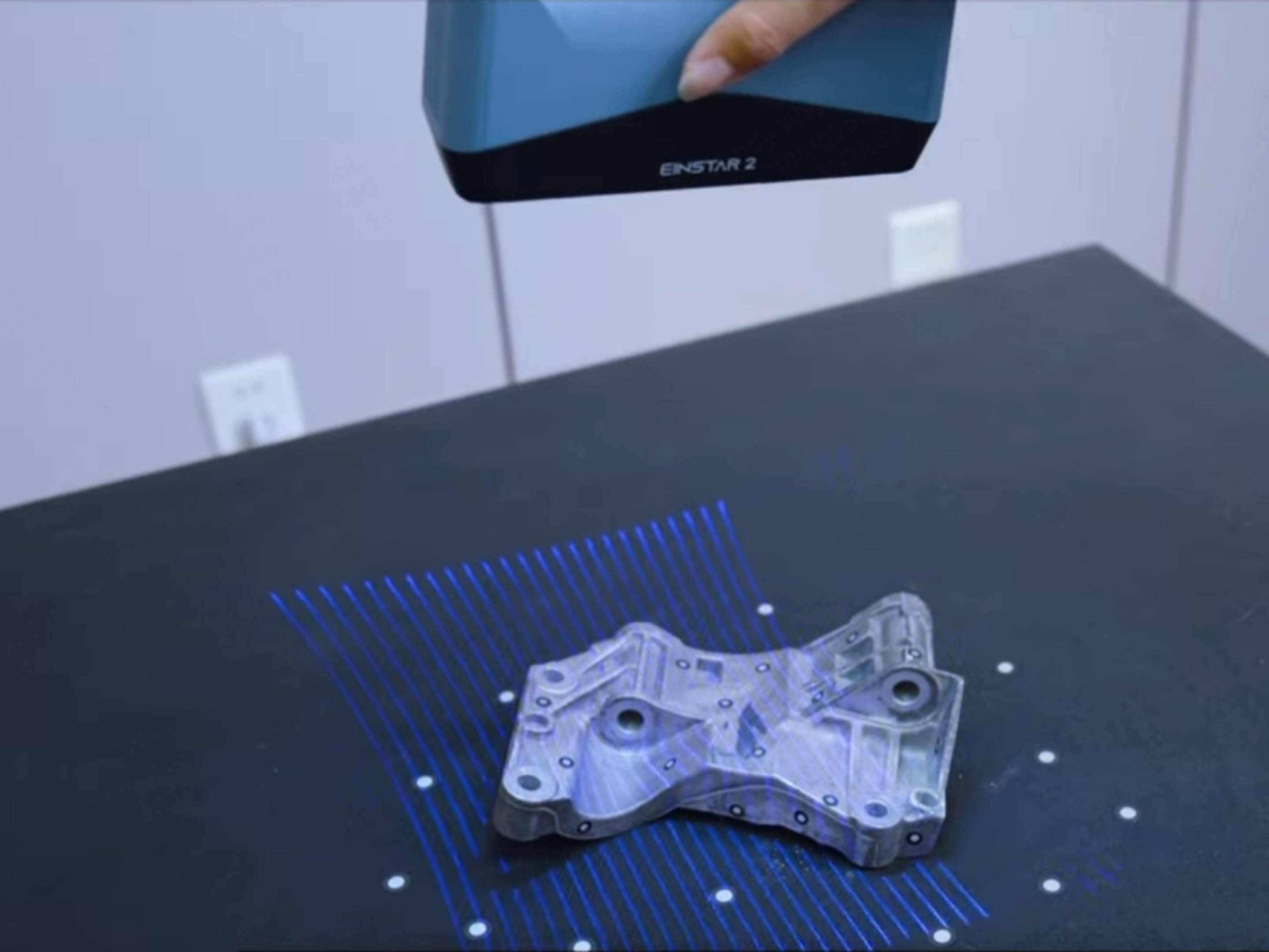
In today’s fast-growing 3D printing industry, efficiency and precision are critical for makers, engineers, and designers.
Whether you are using a Bambu Lab X1 Carbon, Creality Ender 3 V3, Prusa MK4, or Anycubic Kobra series, one challenge remains consistent: creating accurate 3D models quickly.
This is where the EINSTAR 2 3D Scanner becomes a game-changing tool. Designed for speed, usability, and compatibility, EINSTAR 2 enables users to transform real-world objects into high-quality digital models in minutes—perfectly suited for modern 3D printing workflows.
Why EINSTAR 2 is Essential for 3D Printing Workflows
Creating 3D models from scratch using CAD software can be time-consuming and requires a steep learning curve. For many users—especially hobbyists and small businesses—this slows down innovation.
The EINSTAR 2 scanner eliminates this bottleneck by allowing you to:
- Capture real objects instantly
- Generate printable 3D models automatically
- Skip complex manual modeling
This makes it one of the best tools for rapid 3D modeling for 3D printing in 2026.

Lightning-Fast Scanning for Rapid Prototyping
Speed is one of the biggest advantages of EINSTAR 2. Instead of spending hours designing, users can scan objects in just minutes and immediately prepare them for printing.
Example Workflow
- Scan an object (e.g., a mechanical part or prototype)
- Export as STL or OBJ
- Import into slicer (Cura, PrusaSlicer, Bambu Studio)
- Print on your 3D printer
This streamlined process is ideal for users of:
- Bambu Lab P1P / X1 Series (high-speed printing workflows)
- Creality K1 / Ender Series (affordable rapid prototyping)
- Prusa MK4 (precision-focused printing)
By combining EINSTAR 2 with these printers, users can significantly reduce product development time.
Seamless Compatibility with Mainstream 3D Printers
One of the biggest concerns when choosing a 3D scanner is compatibility. EINSTAR 2 solves this with support for industry-standard formats:
- STL (most common for 3D printing)
- OBJ (with texture support)
- PLY (for advanced workflows)
This ensures smooth integration with popular slicing software such as:
- Cura
- PrusaSlicer
- Bambu Studio
- Simplify3D
No matter if you are printing on an Anycubic Photon resin printer or an FDM printer like the Ender 3, EINSTAR 2 fits effortlessly into your workflow.
High Data Quality for Functional 3D Printing
Data Quality is critical when creating parts that must fit or function properly. EINSTAR 2 offers improved precision and detail capture, making it suitable for:
- Reverse engineering
- Mechanical part replication
- Custom-fit components
For example, if you need to replicate a broken component for your Elegoo Neptune 4 setup, you can scan the original piece and recreate it with minimal adjustments.
This level of accuracy reduces trial-and-error printing, saving both time and material costs.
User-Friendly Design for Beginners and Professionals
Unlike many traditional 3D scanners, EINSTAR 2 is designed with usability in mind. Its intuitive interface makes it accessible even for beginners.
Key usability features include:
- Real-time scanning preview
- Automatic alignment and tracking
- Simple mesh generation
This means even first-time users can quickly create models suitable for printing on machines like:
- Anycubic Kobra 2
- Creality Ender 3 V3 KE
- Bambu Lab A1 Mini
At the same time, professionals benefit from faster workflows and reliable results.
Versatile Applications Across Industries
The EINSTAR 2 scanner is not limited to hobby use—it is widely applicable across industries:
1. Product Design
Quickly digitize prototypes and iterate designs faster.
2. Reverse Engineering
Recreate legacy parts that lack CAD files.
3. Education
Teach students real-world 3D modeling and printing workflows.
4. Creative Projects
Scan sculptures, toys, or personal items and customize them for printing.
This versatility makes EINSTAR 2 one of the most practical 3D scanners for makers and professionals alike.
Improved Tracking and Detail Capture
Scanning complex objects can be challenging, especially those with smooth or reflective surfaces. EINSTAR 2 addresses this with:
- Enhanced tracking algorithms
- 17 Parallel Blue Laser Lines
- Better surface recognition
- Improved detail resolution
These improvements ensure stable scanning performance, even when preparing models for high-detail printers like resin-based Anycubic Photon Mono series.
Optimized Workflow: From Scan to Print in Minutes
The biggest advantage of EINSTAR 2 is how much it simplifies the entire process:
Traditional Workflow:
Design → Adjust → Model → Export → Print
With EINSTAR 2:
Scan → Export → Print
This efficiency is especially valuable for:
- Small businesses
- Makerspaces
- Rapid prototyping teams
Product Links
🔗 Explore EINSTAR 2 Product Page
🔗 Compare with EINSTAR Rockit for Advanced Laser Scanning
Final Thoughts: A Must-Have Tool for 3D Printing Enthusiasts
As 3D printing continues to evolve, tools that improve speed and efficiency become essential. The EINSTAR 2 3D Scanner stands out as one of the best solutions for fast 3D modeling and seamless integration with mainstream 3D printers.
Whether you are using a Bambu Lab X1 Carbon, Prusa MK4, or Creality Ender series, EINSTAR 2 helps you:
- Save time
- Improve data quality
- Accelerate innovation
If you are looking to upgrade your workflow and unlock the full potential of your 3D printer, EINSTAR 2 is a smart investment that delivers real results.
Share:
Why EINSTAR Rockit Makes Reverse Engineering Faster, Smarter, and More Accessible
3D Scanning Museum Artifacts with EINSTAR VEGA: A Practical Guide to Digital Preservation