









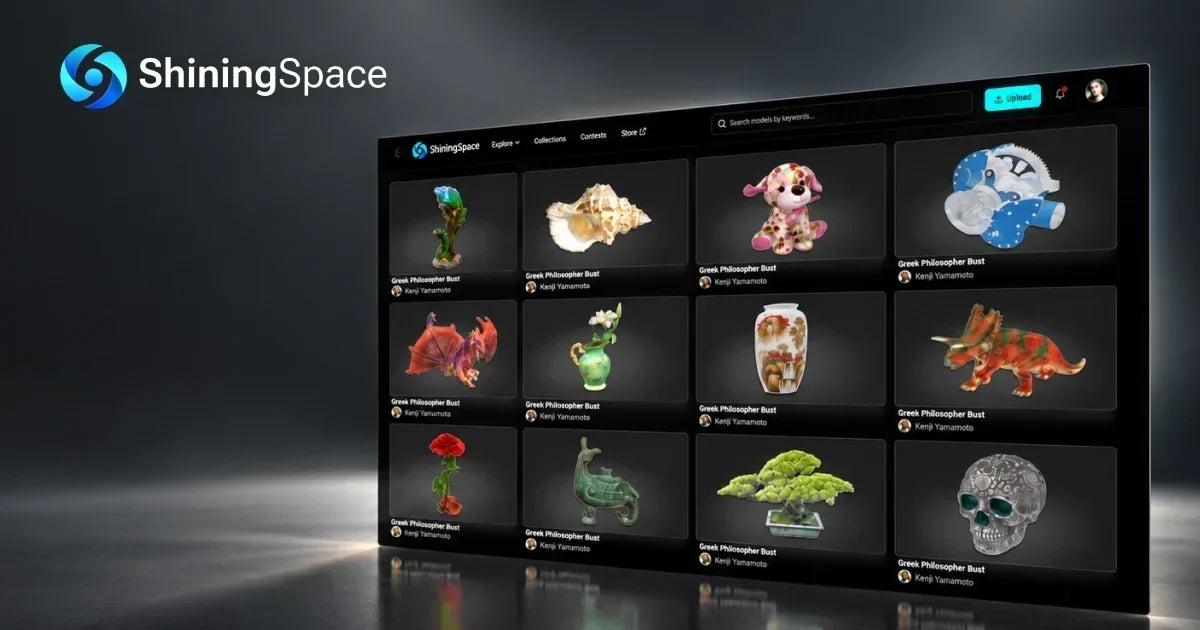
SHINING 3D has launched ShiningSpace, an open digital platform that helps users store, organize, view, share, and reuse real-world 3D assets and models.
Why ShiningSpace, Why Now
ShiningSpace was born from a simple vision: to make real-world 3D data more than something you create—it's something you can keep, connect, share, and build on.
Real-world 3D data is most valuable when it can be found, understood, and put to work. ShiningSpace was created to make that process more connected.

As 3D scanning becomes more accessible, people are capturing objects and environments for education, engineering, manufacturing, AR/VR, 3D printing, and many other uses. After a scan is complete, however, the data often ends up scattered across local drives and separate applications. Organizing files, reviewing models, making adjustments, and sharing the results can take more time than it should.
ShiningSpace brings these post-scan tasks into a single online experience. It gives users a more practical way to organize, review, manage, and revisit their 3D assets as projects develop.
A Platform for the 3D Community
ShiningSpace is open to creators, teams, 3D scanning enthusiasts, and anyone working with digital models. 3D Assets can be uploaded and managed regardless of whether they were created with a SHINING 3D scanner, another scanning system, or a different 3D workflow.
For SHINING 3D users, ShiningSpace also creates a direct link between scanning and asset management. After connecting a SHINING 3D Digital Cloud account, users can sync scan data from compatible scanners, including EINSTAR VEGA and EinScan Rigil series, to ShiningSpace. The platform is designed to build on SHINING 3D Digital Cloud and support a broader range of features over time.
What Can You Do
From the first preview to the next project, ShiningSpace brings together features for sharing and working with 3D models.
- Keep Your Post-Scan Workflow Moving
Upload or sync scan data and 3D models, keep related files organized, and return to your assets whenever you need them. ShiningSpace helps connect the steps between capturing a scan and putting it to use.
- 3D View Your Models in the Browser
The 3D Viewer offers more than a basic preview. Texture, point cloud, wireframe, and X-ray display modes make it easier to inspect a model from different perspectives. Users can also check model quality and measure dimensions in the browser, without downloading additional software.
- Fine-Tune 3D Assets Online
With the browser-based 3D Settings Editor, users can adjust model transformations, camera settings, backgrounds, and post-processing effects. A free collection of HDR materials and texture assets provides more options for presenting and refining models.
- More Control Over How Models Are Shared
To support responsible sharing, ShiningSpace provides a Copyright Infringement Notice Policy, together with reporting and feedback channels for user-created content.
Creators can decide whether their models are available for download or limited to view-only access. These options make it easier to share work while keeping control over how the original files are accessed.
- Designed with Security and Data Protection in Mind
ShiningSpace is designed with data protection and account security in mind. The platform follows applicable privacy requirements, including the GDPR for users in the European Economic Area, as well as other data protection and privacy laws in the countries and regions where it is available.
- Share 3D Work More Easily
Share models through social media, set detailed access permissions, and use screen recordings when a static image cannot show the full experience. ShiningSpace keeps the process simple, with no plugins or scripts required.
What Comes Next
ShiningSpace will continue to expand with the needs of the 3D community. Planned capabilities include 3D modeling tools, a model marketplace, scan-to-print workflows, a scanning app, 3D Gaussian Splatting (3DGS), 4D Gaussian Splatting (4DGS), and programs that support creators.
ShiningSpace is now open for users to upload their 3D models and become part of its growing creator community. During the launch period, early contributors may be considered for promotional opportunities such as featured placement and social media exposure.
Visit ShiningSpace to explore and share real-world 3D assets: www.shiningspace.com.
Share:
SHINING 3D Launches EinScan Trak: the World’s First Wireless, Dual-Form, Marker-Free Tracking System