









When Apple dropped the LiDAR sensor on the iPhone Pro, everyone thought 3D scanning had finally gone mainstream. And sure, pulling a 3d scanner for phone out of your pocket feels like magic. You can scan a chair, your foot, or a coffee mug in seconds.
But if you’ve tried to do something useful with that scan—like 3D print a replacement part, edit it in CAD, or sell it as a digital asset—you probably hit a wall.
Here is the hard truth about mobile scanning vs. dedicated hardware, and exactly when you need to ditch the phone for a portable handheld 3d scanner like the EINSTAR 2.

The Illusion of Convenience: How Phone LiDAR Actually Works
First, let’s give credit where it’s due. Apps using the iPhone’s LiDAR are incredible for context.
Need a rough layout of a room for furniture planning? Great. Want a 3D "selfie" for a metaverse avatar (with blobby fingers)? It works.
However, even the best mobile apps can struggle with accuracy. Some studies on mobile 3D imaging report error variances that can reach centimeter-level deviations in certain conditions, which is far from ideal for mechanical or engineering use.
The Physics Problem
Phones use a tiny sensor and spray a wide, low-density grid of dots. They struggle with:
- Specular Surfaces (Black/Glossy): Phones are virtually blind to shiny car parts or black engine bays.
- Scale Accuracy: Without a reference system, scans can easily drift in size and become unusable for fitment.
- Detail: A phone cannot reliably capture fine threads or sharp mechanical edges.
Enter the Prosumer: The EINSTAR 2 Difference
This is where the market for portable handheld 3d scanner devices has exploded. You don’t need a $50,000 industrial rig anymore, but you do need laser-level stability.
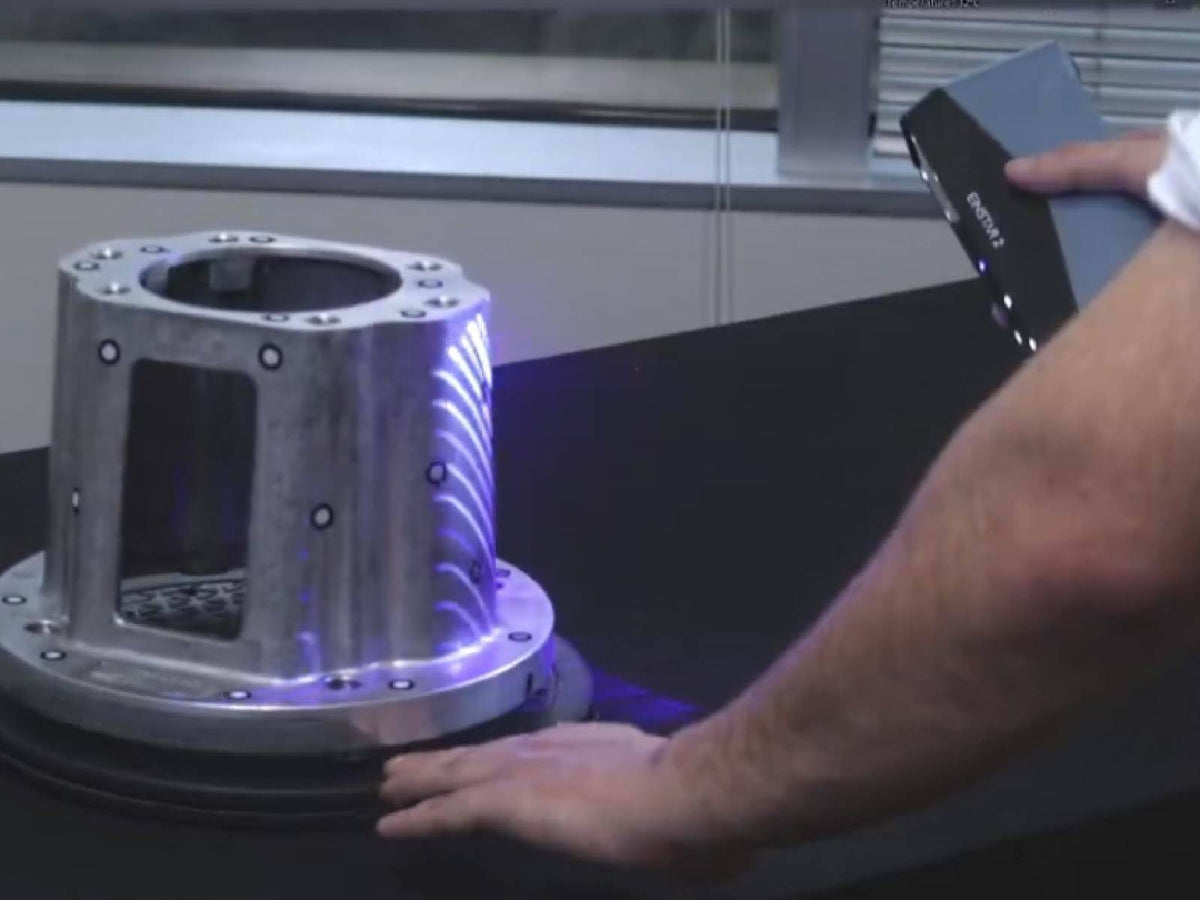
Enter the EINSTAR 2. At first glance, it looks compact and simple. But inside, it is a completely different class of tool.
Side-by-Side Reality Check
| Feature | Phone LiDAR | EINSTAR 2 (Portable Handheld) |
|---|---|---|
| Technology | Low-resolution dot projection | Blue laser + IR VCSEL system |
| Precision | cm-level errors | Up to 0.05 mm resolution |
| Dark/Black Objects | Struggles significantly | Direct scan capability |
| Tracking | Often unstable | Marker + feature hybrid tracking |
| Texture Capture | Basic processed output | High-fidelity color capture |
| Use Case | Casual scanning / AR | Engineering / CAD / 3D printing |
The "Aha!" Moment: When to Upgrade
If you are asking “Do I really need a dedicated scanner?”—here are three clear signals that the answer is yes.
1. You are designing parts that must fit (Reverse Engineering)
Motorcycle brackets, automotive mounts, or replacement parts require real dimensional accuracy. The EINSTAR 2 captures dense geometry that can be imported directly into CAD tools like SolidWorks or Fusion 360.
2. You are tired of surface prep hacks
If you’ve ever sprayed objects just to make them visible, you already understand the limitation. The EINSTAR 2 uses blue laser technology that can handle dark and reflective surfaces without heavy preparation.
3. You need real portability, not “tethered portability”
Some systems still require a powerful external workstation. The EINSTAR 2 is designed for field use with wireless operation and onboard power flexibility, making it usable in garages, workshops, or on-site environments.
Deep Dive: Why EINSTAR 2 Sits in the “Goldilocks Zone”
Unlike toy-level scanners or ultra-expensive metrology systems, the EINSTAR 2 sits in a practical middle ground for makers and professionals.
- Dual scanning modes: laser for detail, IR for larger objects
- Marker-free workflows: reduces setup time on feature-rich objects
- High-speed capture: maintains dense point cloud generation during movement
It is designed to bridge the gap between phone scanning and industrial systems.
The Verdict
If 3D scanning is just for fun, your phone is enough. It’s great for quick visual captures and casual experimentation.
But if 3D scanning is a tool—for printing, engineering, repair, or digital design—you will quickly hit the limits of mobile LiDAR.
That is where a portable handheld 3d scanner like the EINSTAR 2 becomes the practical upgrade. It replaces guesswork with usable geometry, and blurry meshes with structured data.
Ready to Upgrade?
Why users choose it:
- Truly wireless scanning workflow
- Industrial-grade company background (SHINING 3D)
- Direct export to STL/OBJ for 3D printing and CAD
Stop struggling with low-detail phone scans. Start building usable 3D data.
FAQ
Can a phone 3D scanner replace a professional one?
No. Phone-based scanning is useful for visualization, but lacks the precision and stability required for engineering or functional parts.
Is the EINSTAR 2 difficult to use?
No. It is designed for guided workflows and quick setup, making it accessible even for beginners.
What is the best phone 3D scanner replacement?
For users moving beyond casual scanning into CAD, printing, or reverse engineering, the EINSTAR 2 is one of the most practical entry-level professional options.
Share:
Budget Under $2000? The Most Affordable 3D Scanner Gets Basic Modeling Done
Handheld 3D Scanner vs. Fixed Workbench: Which One Wins for 3D Scanning Process?